Contract Management Software for Contractors: 2026 Guide
Contract management software for contractors links estimates, signatures, payments, and production in one workflow. Book a personalized demo today.

Contract management software for contractors is the system many home improvement companies now use to turn a signed estimate into an organized, trackable job. Instead of chasing paper folders or separate e-signature tools, a contractor can see a contract, its payment status, and its production schedule in one place. This matters because a missed handoff between sales and production often costs more time than the paperwork itself. In particular, growing companies feel this pain once they manage more than a handful of jobs at once.
Reviewing a signed contract on-site keeps the office, sales, and crew working from the same record.
What Is Contract Management Software for Contractors?
Contract management software for contractors is a digital system that creates, collects signatures for, stores, and tracks job contracts, usually alongside the estimate, payment, and production records tied to the same job. Rather than treating the contract as a standalone document, the software keeps it connected to everything that happens before and after signing.
Specifically, this kind of tool answers a practical question: where is this job right now, and who is waiting on what? When a contract sits in a drawer or a separate app, that answer takes a phone call. However, when it lives inside a connected workflow, the status is visible to the office, the sales rep, and the production crew at the same time.
Why Home Improvement Teams Need Contract Management Tools
Home improvement jobs move through several stages: a first call, an appointment, an estimate, a signed contract, a deposit, material ordering, production, and a final payment. Therefore, a contract is rarely the end point. It is the trigger for everything that follows.
Without connected contract management tools, office staff often re-key the same job details into separate systems for invoicing, materials, and scheduling. As a result, small errors creep in, and production crews sometimes start a job without the latest signed scope of work. In contrast, a connected system treats the signed contract as the single source of truth, so the material order and the production schedule reference the same document the customer actually approved.
Similarly, sales reps benefit from visibility into contract status without needing to interrupt the office for an update. For a closer look at how scheduling fits into this same workflow, see this guide to appointment scheduling software for contractors.
Key Features of Contract Management Software for Contractors
Not every contract tool covers the full job lifecycle. Above all, contractors should look for features that connect a signed contract to the rest of the operation rather than isolating it.
- Online estimates and e-signatures: customers can review and sign without a printer.
- Automatic production handoff: a signed contract and recorded sale creates a production job automatically.
- Job-linked material orders: material requests reference the correct job and contract version.
- Payment and deposit tracking: payment status stays attached to the same job record.
- Reporting and job costing: office managers can see contract-to-close timelines across the business.
In addition, team size matters when comparing plans. The table below shows how one connected workflow CRM, LeadFlow, structures its plans by user count.
| Plan | Users Supported | Best For |
|---|---|---|
| Starter | Up to 3 | Solo operators and small crews |
| Pro | Up to 10 | Growing teams |
| Business | Up to 25 | Established companies |
| Enterprise | Larger/multi-location | Multi-location organizations |
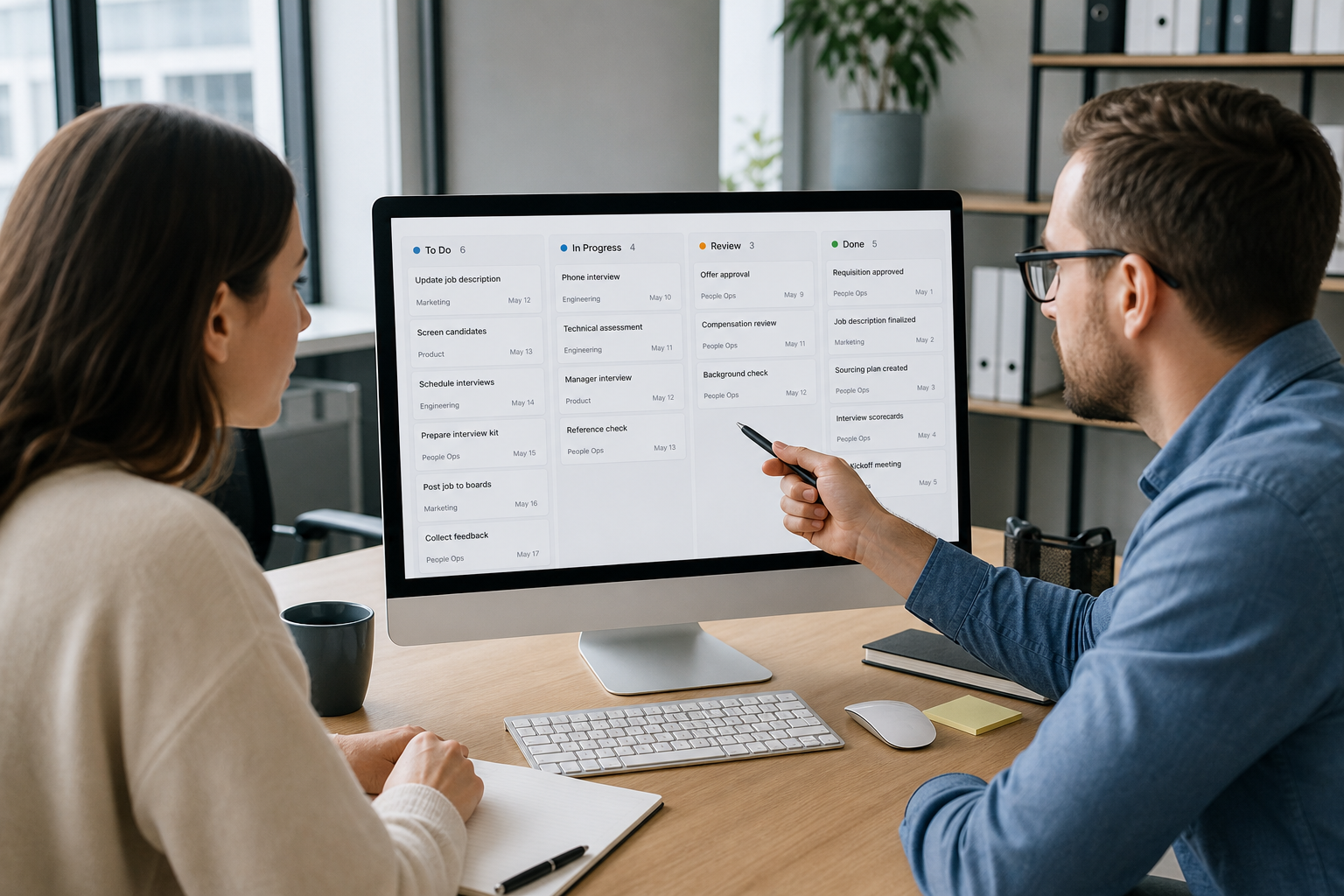
Connected contract records give office staff a clear view of every job's status.
How to Connect Contracts to Estimates, Payments, and Production
Consequently, moving from a signed contract to a completed job works best as a repeatable sequence. The steps below outline a practical path contractors can follow.
- Audit the current contract workflow. Map out how contracts are created, signed, and stored today, including every handoff between sales, the office, and production crews.
- Centralize templates and signatures. Move estimate templates and signature collection into one system so every approved job produces a consistent, trackable contract record.
- Connect contracts to payments and materials. Link each signed contract to deposit collection and job-specific material orders so office staff stop re-entering the same job details twice.
- Automate the production handoff. Configure the system so a signed contract and recorded sale automatically creates a production job with milestones for the crew to follow.
- Train the team and monitor reporting. Train office, sales, and production staff on the new workflow, then review reporting regularly to catch stalled contracts or missed signatures early.
According to the Harvard Joint Center for Housing Studies, homeowners spent an estimated $603 billion on home improvement projects in 2023, a scale that makes manual contract tracking increasingly impractical for growing companies. For more detail on managing the lead side of this workflow, this lead management software buyer's guide covers the stage before a contract is even signed.
Choosing the Right Contract Software for Your Contracting Business
When comparing options, contractors should weigh a few factors beyond price. For example, does the tool handle only contracts, or does it also manage leads, scheduling, and job costing? A standalone e-signature tool might sign a document quickly, but it will not automatically create a production job or attach a material order.
Furthermore, data portability matters. Existing leads and jobs can often be migrated from spreadsheets or a previous CRM, which avoids starting from zero. Security is another consideration; each company should ideally receive an isolated, private workspace rather than sharing data infrastructure loosely with other accounts.
Finally, contract terms for the software itself deserve attention. Month-to-month plans that allow cancellation at any time give a contracting business room to test a workflow without being locked into a long commitment. For a broader comparison of configurable platforms, see this customizable CRM buyer's guide for contractors, and review the general structure of construction contracts for background on what most agreements need to cover.
How LeadFlow Supports Contract Management for Home Improvement Companies
LeadFlow is a connected workflow CRM built specifically for home improvement companies. Rather than treating contracts as a separate task, it links leads, appointments, estimates, signatures, payments, material orders, production, and final payment around the same job record.
In practice, this means a signed contract can automatically create a production job, and related material orders can be emailed and tied directly to that job. Office staff can also migrate existing leads and jobs from spreadsheets or a prior CRM, and each company works inside an isolated, private workspace. Plans run month-to-month, from Starter teams of up to 3 users through Enterprise setups for larger or multi-location organizations, and onboarding includes configuration, data migration, user setup, and live team training. Contractors curious about how this fits an existing process can review the home improvement CRM features and setup guide or visit LeadFlow to book a personalized workflow demo.

When material orders stay linked to the signed contract, production can start without delays.
Frequently Asked Questions About Contract Management Software for Contractors
What is contract management software for contractors?
Contract management software for contractors is a digital system that creates, signs, stores, and tracks job contracts alongside estimates, payments, and production. It replaces paper folders and scattered files with one organized record per job.
How does contract management software for contractors work?
It turns an approved estimate into a contract, collects an electronic signature, and links that signed document to payments, materials, and the production schedule. As a result, every team can see the same job status without calling the office.
Why do home improvement companies need contract management software?
Paper contracts and disconnected spreadsheets create duplicate entry and missed handoffs between sales and production. Contract management software for contractors removes that gap by keeping the signed agreement attached to the job from start to finish.
How much does contract management software for contractors cost?
Pricing varies by vendor and usually depends on the number of users and features included. LeadFlow, for example, offers month-to-month plans sized for teams of 3, 10, or 25 users, with enterprise options for larger or multi-location companies.
How long does setup take for contract management software?
Setup timelines depend on how much existing data needs to move over. Onboarding that includes account configuration, data migration, and live training typically takes a few weeks rather than months.
Can existing contracts and leads be migrated into new software?
Yes, existing leads and jobs can usually be migrated from spreadsheets or a previous CRM. This preserves job history instead of forcing a team to start over from zero.
Is contract management software secure for contractor data?
Reputable platforms give each company an isolated, private workspace so job and customer records stay separate from other businesses on the platform. Contractors should confirm this before migrating sensitive contract and payment data.
What is the difference between contract management software and a general CRM?
A general CRM tracks contacts and communication, while contract management software for contractors also handles signatures, estimate-to-contract conversion, and job-specific production tracking. Many home improvement companies look for both in one connected workflow.
Can contract management software connect to payments and material orders?
In a connected workflow CRM, a signed contract can trigger a deposit request, generate a production job, and attach related material orders to that same job record. This reduces the manual re-entry that happens when systems operate separately.
What reporting comes with contract management software for contractors?
Useful reporting shows contract-to-close timelines, outstanding signatures, job costing, and production milestones across the business. This gives office managers visibility without manually compiling spreadsheets.
What mistakes should contractors avoid when choosing contract software?
A common mistake is picking a tool that only manages contracts without connecting to estimates, payments, or production. Contractors should also avoid long-term contracts that lock them into a platform before testing it on real jobs.
What happens if a contracting team grows beyond its current plan?
Scalable platforms offer tiered plans, such as Starter, Pro, and Business, plus enterprise options for larger or multi-location teams. Companies can typically upgrade without losing existing contract and job history.
Are electronic signatures in contract management software legally binding?
In the United States, electronic signatures are generally legally binding under federal law when both parties consent to sign electronically, as outlined by the U.S. Small Business Administration's contract management guidance. Contractors should still confirm specific state requirements for their trade.
Can a contractor review the workflow before booking a demo?
Most vendors can walk through how their system would handle a specific company's current process before any commitment is made. This lets a contractor compare the workflow to their existing paper or spreadsheet system first.
Bringing It All Together
In summary, contract management software for contractors works best when it does more than store a signed document. It should connect that contract to the estimate that created it, the payment it triggers, the materials it requires, and the production schedule it sets in motion. Consequently, office staff spend less time re-entering job details, and sales and production teams stay aligned on the same information.
For home improvement companies ready to see this in action, LeadFlow offers a connected workflow built around leads, contracts, payments, materials, and production, with month-to-month plans and no long-term commitment. Visit leadflowcrm.info to book a personalized workflow demo and see how contract management software for contractors could fit an existing process.
