Home Improvement Workflow Automation: Connect Every Job
Home improvement workflow automation connects leads, estimates, payments, materials, and production in one system. Book a personalized demo today.
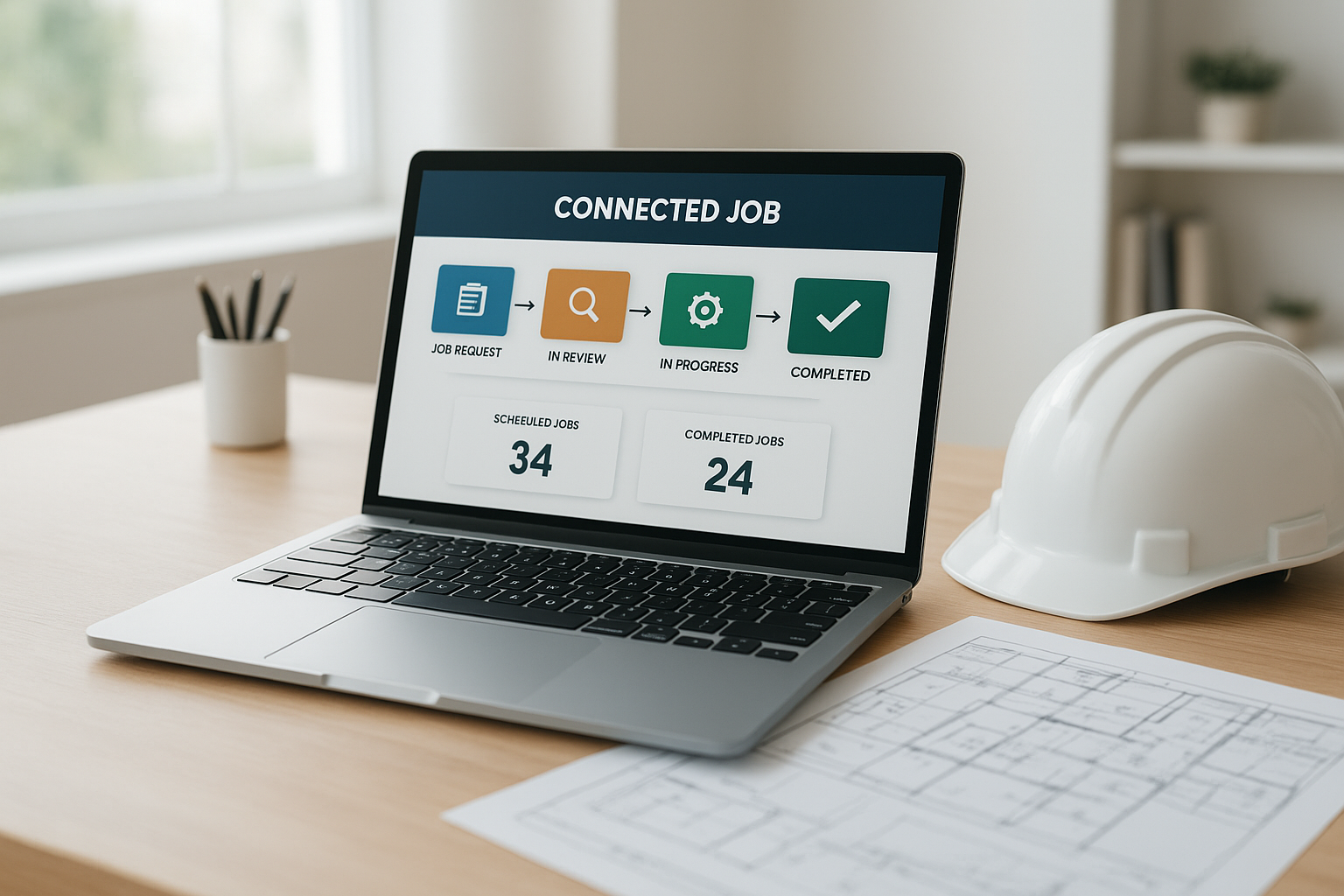
Home improvement workflow automation is the practice of connecting every stage of a job, from the first customer call through final payment, so information moves automatically between office staff, sales reps, and production crews. For home improvement companies juggling leads, estimates, signatures, materials, and installation schedules, this kind of automation reduces duplicate data entry and keeps everyone working from the same job record. In this guide, we will look at what home improvement workflow automation actually involves, how it works in practice, and how a connected workflow CRM helps teams stay aligned from quote to completion.
Direct answer: Home improvement workflow automation connects lead management, scheduling, estimates, signatures, payments, material orders, and production tracking into a single system. Instead of manual handoffs, information flows forward automatically whenever a job moves to its next stage.
What Is Home Improvement Workflow Automation?
Home improvement workflow automation is a connected system that moves job information forward automatically as a project progresses. Specifically, it links the customer call, the sales appointment, the estimate, the signed agreement, the deposit, the material order, and the production schedule so each step builds on the last.
Without this connection, teams often rely on spreadsheets, sticky notes, or separate apps for each stage. As a result, details get lost between departments, and office staff spend hours re-entering the same customer and job information. A connected workflow removes that friction by keeping one job record that every team touches.
A connected dashboard like this reflects how home improvement workflow automation keeps every job stage visible in one place.
Why Home Improvement Companies Need Automated Workflows
Home improvement companies handle a lot of moving parts at once: appointments, estimates, deposits, material orders, and crew schedules. However, when these pieces live in separate systems, small delays compound into missed follow-ups or confused production handoffs.
According to McKinsey Global Institute research on automation potential, roughly 30 percent of tasks in most business occupations can be automated using technology that already exists today. For home improvement businesses, that often means administrative tasks like data entry, status updates, and manual follow-ups, which automated workflows can handle without extra staff hours.
In addition, a connected workflow reduces the risk of a signed job sitting idle because materials were never ordered. Therefore, companies that automate these handoffs typically see fewer stalled jobs and clearer accountability across the team.
How Home Improvement Workflow Automation Connects Every Job Stage
Home improvement workflow automation works by treating each job as a single connected record rather than a series of disconnected tasks. For example, when a sales representative records a signed estimate, a production job can be created automatically without anyone copying details into a second system.
Similarly, once a deposit is collected, a material order tied to that specific job can be emailed directly to a supplier. Consequently, office staff spend less time chasing paperwork, and production crews receive accurate job details without waiting on a phone call. You can review an example of this connected approach on the LeadFlow workflow tour.
Key Features That Power a Connected Workflow
Several features work together to make home improvement workflow automation effective. Lead and prospect management keeps new inquiries organized from the first contact, while call queues help sales teams prioritize follow-ups. You can see how lead handling fits into the broader workflow in this lead management overview.
Beyond leads, online estimates, photos, and signatures let sales reps close a deal without printing paperwork. Furthermore, a production job board, often displayed on a shared TV screen, gives office staff and crews a live view of milestones across every active job.
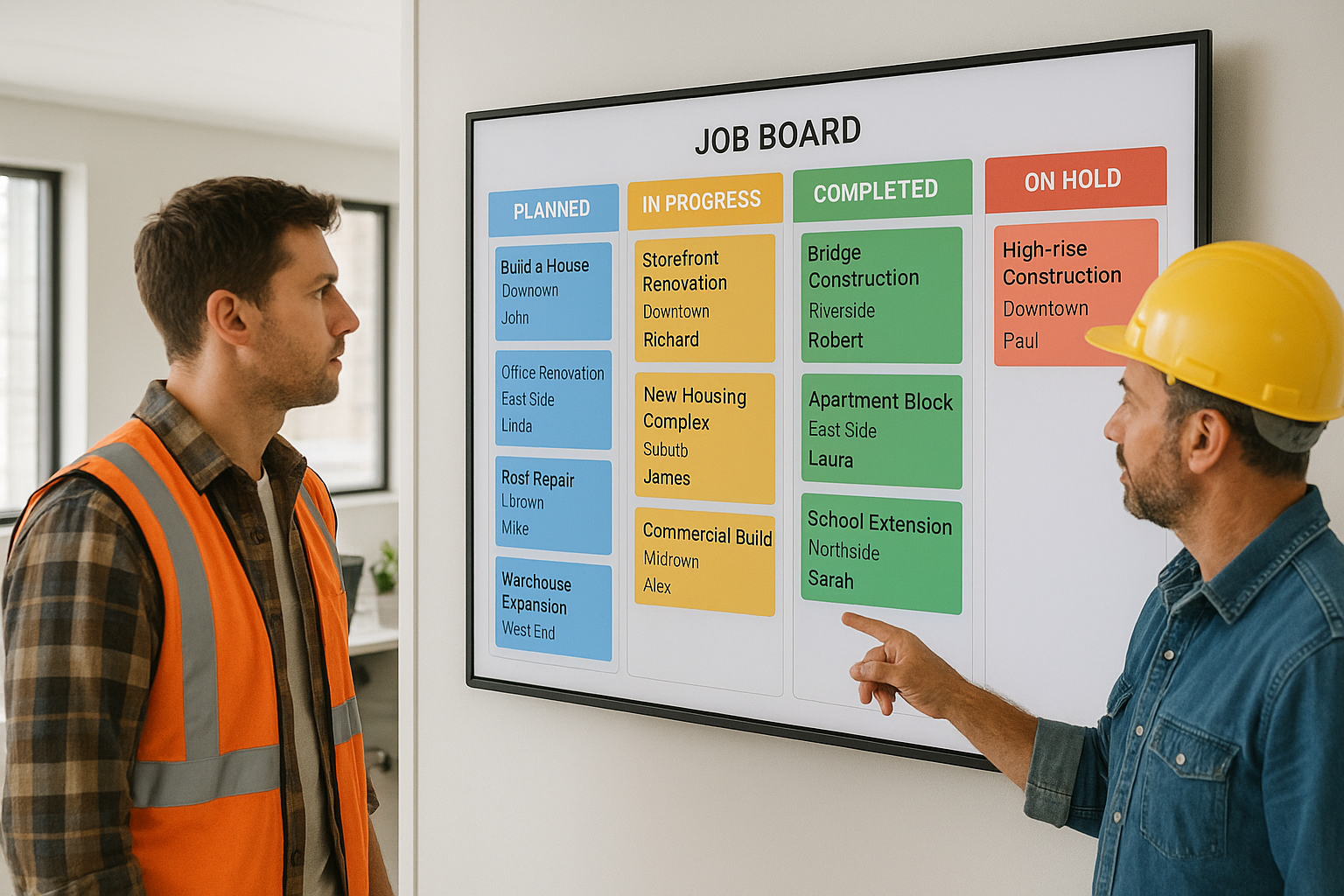
A shared job board gives production crews and office staff the same real-time view of each project.
How to Implement Home Improvement Workflow Automation
Moving from disconnected tools to an automated workflow does not need to happen all at once. In fact, most home improvement companies follow a similar sequence when adopting a connected system.
- Map your current job workflow. Write down every step a job currently passes through, from the first lead call to final payment, noting where handoffs between office, sales, and production happen.
- Choose a connected platform. Select a workflow CRM that links leads, appointments, estimates, signatures, payments, materials, and production instead of managing each stage in a separate tool.
- Migrate existing leads and jobs. Move current customer records, open leads, and active jobs from spreadsheets or a previous CRM so historical data stays connected to the new system.
- Configure automated handoffs. Set up rules so that recording a sale automatically creates a production job and routes material orders to the correct job record without manual re-entry.
- Train your team on the new workflow. Walk office staff, sales representatives, and production crews through the connected process with live training so everyone understands how handoffs now function.
As an example of a platform built around this sequence, LeadFlow is a connected workflow CRM for home improvement companies that handles configuration, data migration, user setup, and team training as part of onboarding.
Choosing the Right Plan for a Growing Team
Team size often determines which workflow automation plan fits best. Smaller operations with up to three users may need less complexity than a growing office managing ten or more staff across sales and production.
For established companies with up to twenty-five users, a mid-tier plan typically covers more complex reporting and job-costing needs. In contrast, multi-location organizations or larger teams often require an enterprise plan with broader configuration options. Because most platforms offer month-to-month billing, a company can adjust its plan as the team grows without being locked into a long-term contract. You can review how other home improvement businesses structured their rollout in these case studies.
What Is a Workflow CRM, and How Does It Differ From Other Tools?
A workflow CRM is a system built specifically to follow a job through its entire lifecycle, not just manage contact records. Unlike a generic CRM, it connects estimates, signatures, payments, materials, and production into one job-centered view.
According to the general concept of workflow, automation works best when tasks follow a predictable sequence with clear handoffs. Home improvement jobs fit that pattern closely, which is why workflow-specific CRMs tend to outperform generic sales tools for this industry. Government small-business resources, including guidance published by the U.S. Small Business Administration, also point to operational software as a common growth lever for service-based businesses.
Reporting and Job Costing Inside an Automated Workflow
Once a workflow is connected, reporting becomes far more useful. Office managers can see job-level costs, marketing performance, and milestone timelines without pulling data from several disconnected spreadsheets.
Industry research from organizations like the National Association of Home Builders regularly highlights labor and material cost tracking as a persistent challenge for residential contractors. Therefore, associating expenses directly with a job inside the same workflow platform gives owners a clearer, real-time picture of profitability on every project.
Frequently Asked Questions About Home Improvement Workflow Automation
What is home improvement workflow automation?
Home improvement workflow automation is the practice of connecting lead intake, appointments, estimates, signatures, payments, materials, and production into one coordinated system instead of separate spreadsheets or tools. It removes manual handoffs between office, sales, and production staff.
How does home improvement workflow automation work?
It works by linking each stage of a job record, so when a sale is recorded, a production job and material order can be generated automatically. As a result, information flows forward without anyone re-entering the same data twice.
Why do home improvement companies need workflow automation?
Growing home improvement companies often juggle leads, crews, and paperwork across disconnected tools, which creates delays and lost information. Workflow automation keeps office, sales, and production aligned on the same job details from the first call to completion.
What is the difference between workflow automation and a basic CRM?
A basic CRM typically tracks contacts and deals, while home improvement workflow automation extends further into estimates, signatures, payments, materials, and production milestones. In other words, it manages the entire job, not just the sales relationship.
How much does home improvement workflow automation cost?
Pricing varies by platform and team size, and plans are often offered month-to-month with no long-term contract required. For example, LeadFlow offers tiers from small teams of up to three users to enterprise plans for larger or multi-location companies.
How long does it take to set up workflow automation for a home improvement business?
Setup time depends on team size and how much existing data needs migrating, but done-for-you onboarding can include configuration, data migration, and training within a short launch window. Specifically, existing leads and jobs can be imported from spreadsheets or a previous CRM.
What are common mistakes companies make when automating their workflow?
A common mistake is automating only one department, such as sales, while leaving production and materials on separate manual processes. This creates new disconnects instead of solving them, so the workflow should connect every stage of the job.
What features should a home improvement workflow automation platform include?
Look for lead and appointment management, online estimates, signatures, payment tracking, job-linked material orders, production milestones, and reporting. Above all, the platform should keep every feature connected to the same job record.
Can existing leads and jobs be migrated into a workflow automation system?
Yes, existing leads and jobs can typically be migrated from spreadsheets or a previous CRM during onboarding. This preserves customer history instead of forcing a team to start from a blank system.
Does workflow automation help coordinate office, sales, and production teams?
Yes, that coordination is the core purpose of home improvement workflow automation. When a sale closes, production and material details can move forward automatically instead of relying on phone calls or manual notes.
What is a production job board, and how does it relate to workflow automation?
A production job board is a shared, often TV-displayed view of active jobs and milestones that crews and office staff can reference together. It gives everyone visibility into job status without separate status-update calls.
Is company data secure in a workflow automation platform?
Reputable platforms isolate each company into its own private workspace so customer and job data is not shared across accounts. Therefore, companies should confirm this separation before migrating sensitive business data.
Can workflow automation scale as a home improvement team grows?
Yes, most workflow automation platforms offer tiered plans that scale from a few users to twenty-five or more, with enterprise options for larger or multi-location teams. In addition, plans can usually be adjusted without a long-term contract.
What training is included when adopting a workflow automation system?
Onboarding commonly includes account configuration, user setup, estimate templates, and live team training sessions. This helps office staff, sales reps, and production crews understand the new workflow before relying on it daily.
How do I know if my home improvement business is ready for workflow automation?
If your team re-enters the same job details across spreadsheets, texts, and phone calls, that is a sign you are ready. Similarly, frequent miscommunication between sales and production during handoffs points to the same need.

Clear visibility into each job stage helps office, sales, and production teams stay aligned.
Bringing It All Together
Home improvement workflow automation ultimately comes down to one goal: keeping every job moving without repeated manual work. From the first lead call through the estimate, signature, payment, material order, and final install, a connected system gives office staff, sales reps, and production crews the same real-time picture of each project.
As home improvement companies grow, the administrative burden of disconnected tools only gets heavier. Therefore, adopting a connected workflow CRM such as LeadFlow, built specifically for home improvement companies, can help a team reduce busywork while keeping leads, estimates, payments, materials, and production aligned around the same job. To see how this fits your current process, you can explore the platform at leadflowcrm.info or book a personalized workflow demo to walk through your own job stages.